Tired of deleting tiny files while something enormous smothers your disk? SizeQueen turns files and folders into nested rectangles so you can spot the big ones, take a closer look, and make space for what you love.
See the whole picture
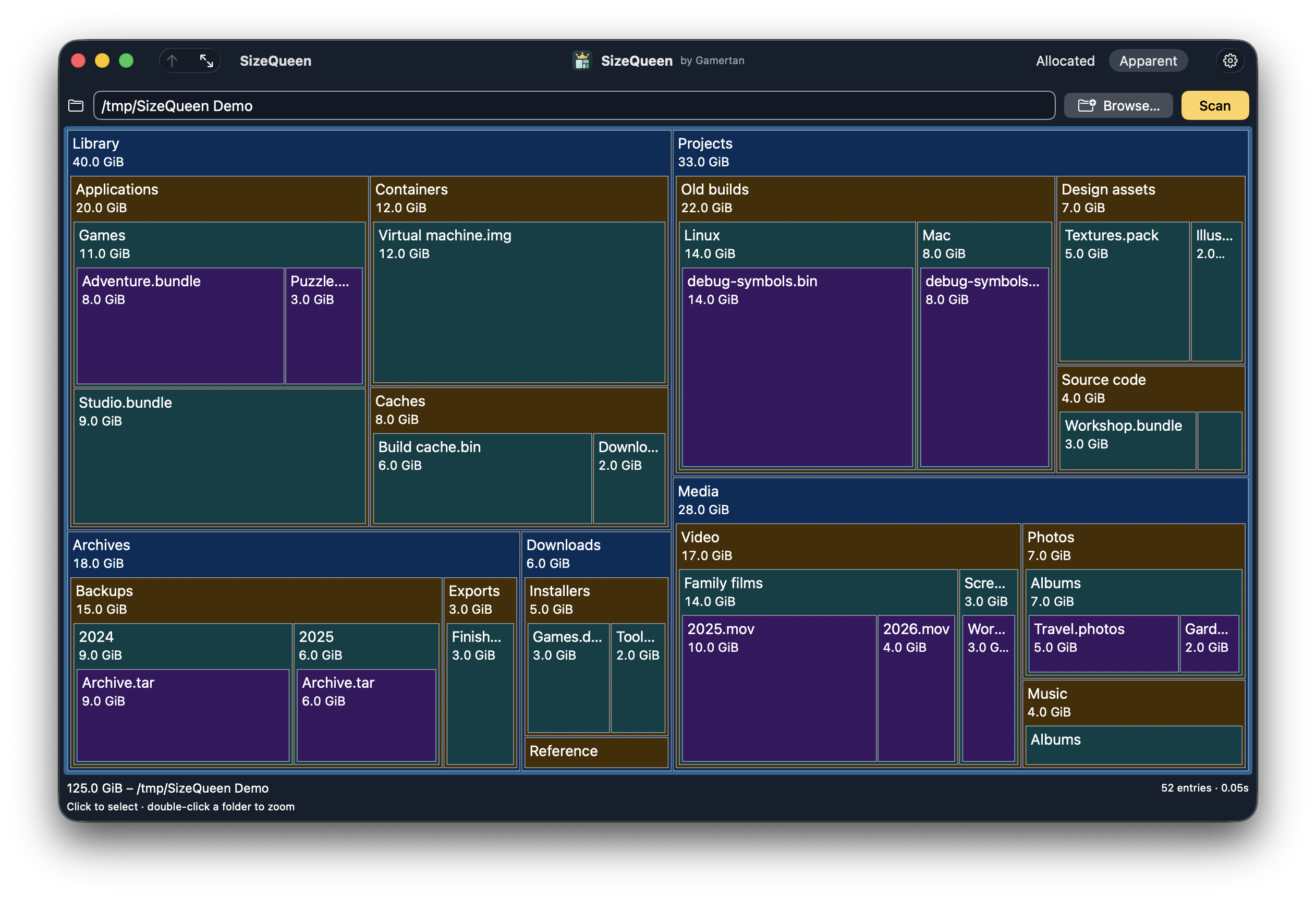
The real Mac app, using invented folders and sizes. Clarity theme, blue / gold palette. No personal files are shown. View the full-size screenshot.
Go a little deeper
Choose a folder, then Scan. Big rectangles mean big storage. Double-click a folder to look inside; Up and Full bring you back.
Find your comfortable fit
Calmer or stronger colours, larger text, thin borders and a little space between boxes. Keep the view clear for your eyes.
Keep it familiar
Use the keyboard or a right-click menu. Show an item in Finder, copy its path, or confirm a move to the Mac’s Trash.
Get the Mac preview
Free, signed and notarized. Version 0.1.0, build 2.
Apple silicon Mac
Unzip, move SizeQueen into Applications, and open it normally. Tested on macOS 26; the build targets macOS 14 and later. Earlier macOS versions and Intel Macs are not yet verified.
A questionable name. A very practical tool.

SizeQueen by Gamertan grew out of missing SpaceMonger 1.4: a fast, basic way to make storage make sense. The name has a little cheek; the app keeps things simple. A small Rust core does the scanning; SwiftUI and AppKit make it feel at home on the Mac.
All features stay free. No account, ads, app telemetry or pro tier. If it helps you, you can support the work at Gamertan. Support is optional.
Want to see how it works? The GPL-3.0-only matching source includes the exact core, dependencies, build instructions and editable logo.
Built on Sized
Before the rectangles, there was the terminal. Sized is Gamertan’s command-line disk usage tool for inspecting folders, filtering results and exporting reports.
SizeQueen uses sized-core, the Rust filesystem scanner extracted from Sized, and adds its own storage map and native Mac interface. You do not need to install or run the CLI to use SizeQueen.
Prefer commands to clicking? Meet Sized.
Help shape the preview
This first release focuses on the native Mac folder map. Linux desktop delivery, the App Store, whole-disk and bar views are later work. VoiceOver controls are implemented; user acceptance and fresh-Mac launch testing are still in progress.
Protected folders can need macOS consent; incomplete scans show the gaps. File sizes can differ from disk usage or space recovered after deletion, especially with APFS sharing, compression and snapshots.
Something awkward or unclear? Write to support@gamertan.com with the app and macOS versions. No need to send personal paths or scan results.
Your files stay on your Mac
Scanning starts when you press Scan. Names, paths and sizes stay in the app’s memory and are discarded when it quits. SizeQueen does not send scan results to Gamertan.
Appearance choices and the last folder explicitly chosen with Browse are saved locally. Settings → About → Forget remembered folder removes that bookmark.
Full app privacy notice · Dependency inventory · Rebuild inputs · Source revision
Free software, without warranty; see the complete licence below.