Pronounced RON-bin. Your kind of company.
I got tired of autoplay trailers, sponsored noise and the feeling that the television belonged to somebody else. I missed the idea behind Windows Media Center: a computer that helped you enjoy your own stuff. So I started building a little family media system of my own.
Pick something. Play together.
RONB1N brings local videos, Jellyfin and classic games into one interface, with touch, controller and keyboard controls.
- Your videos: browse local files, organize series and episodes, and return to where you left off.
- Your Jellyfin: explore an existing account’s library, choose original playback or server-assisted quality, and select available audio tracks and subtitles.
- Your games: browse SNES and Genesis by system, keep favourites, hide titles, pause a session and return to dated saves.
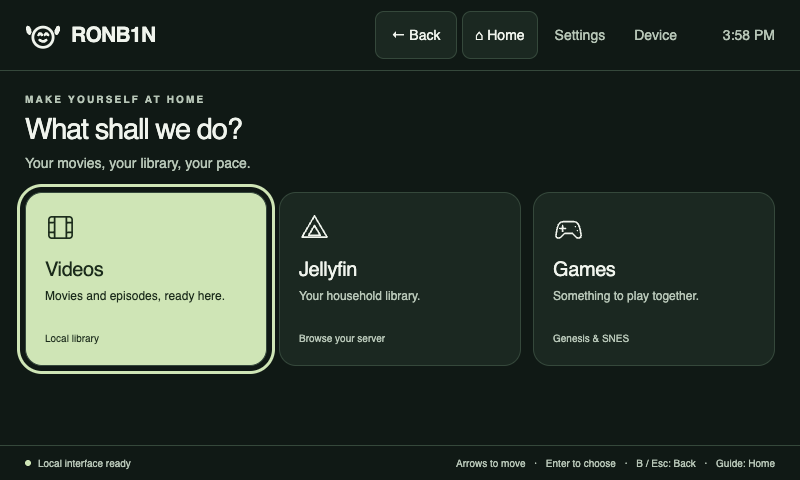
The compiled interface, shown with demonstration content rather than a household library.
No telemetry. No online requirement.
If we could use cartridges, we would.
RONB1N has no app analytics, tracking beacons or automatic cloud crash reports. Configurable diagnostic logs stay local; sharing a diagnostic bundle is an explicit choice.
There is no such thing as a RONB1N account.
The installed interface, local videos, games and saves must remain usable without internet, cloud activation or a subscription. A network outage must not lock you out of your own library.
The prototype’s first-start installer currently downloads Linux packages. Jellyfin needs a connection to its server, and selected online services need their own connection. Full disconnected cold-boot and playback acceptance on both Pis, and completely offline installation, are still on the test list. Providers and host software have their own behaviour.
Comfortable controls. A little glow.
Predictable Back and Home controls, visible focus, readable labels and ordinary options pages keep navigation understandable. Choose a library layout, tighter or more comfortable spacing, and the Forest or Daylight theme. Accessibility shapes the interface; automated checks supplement ongoing human review.
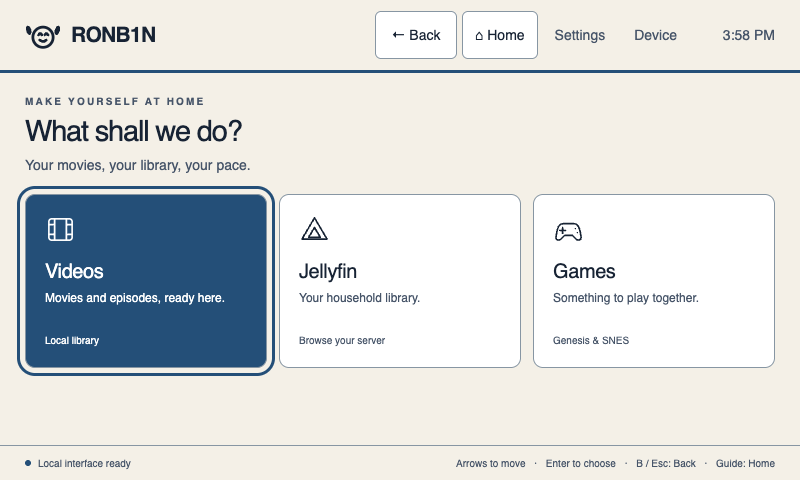
Themes ship locally. The happy robot and restrained glows do not require continuous animation or a cloud connection.
Small computer. Proper software.
Go owns libraries, commands, preferences and native application handoff. Sandwich Hime compiles the HTML templates into Go. Styles, scripts and themes are bundled locally; MPV and the current emulator integrations handle native playback and games.
The family testbed runs on a Raspberry Pi 4 with a small touchscreen and a Raspberry Pi 2 Model B v1.1 with wired networking and a 720p output baseline. Hardware and media compatibility depend on the actual setup; these are demonstrated configurations, not a promise for every board or file.
A working prototype, still growing
RONB1N is in active development. There is no public installer yet. Profiles, per-profile saves, broader compatibility and further accessibility testing remain ahead. A portable car setup and other desktop operating systems are later goals.
Content restrictions currently belong to the connected services and their accounts. RONB1N does not yet provide profile locks or a shell-level child-safety guarantee. Games, media and firmware are supplied separately.
Help keep the little robot growing
If this is the kind of software you want in your home, optional support helps me keep building and maintaining it. The existing Gamertan support form offers one-time or monthly contributions. Choosing RONB1N tells me which work brought you here; it follows the same general support terms and does not purchase access or promise a release date.